Records keep the facts. FamilyLoupe reveals the lives.
Your story didn't start with you.
A modern app for your computer and your phone to understand your family history: patterns, places, longevity, migrations, and the lives that made yours possible.
60-day free trial on Windows·One-time license·Your data stays on your own devices
FamilyLoupe — Product tour
—□✕
01Patterns over records.
02Yours, not rented.
03Beautiful and fast.
Why FamilyLoupe
The big sites store your family. FamilyLoupe helps you understand it.
Most genealogy software is a filing cabinet with a search box. FamilyLoupe is built around a different question: now that you've gathered the records, what do they actually tell you about the people you came from, and about yourself?
Your tree, on your own devices
No subscription. No platform lock-in. Your GEDCOM, photos, and edits live in folders you own. If we ever disappear, your tree doesn't. Sync to Dropbox, back up to a thumb drive, hand it to your grandchildren in 40 years. It's a folder.
Insights, not just an archive
Life expectancy by line, by sex, by century. Economic mobility across every documented generation. Migration journeys on a year-slider map. Most-distant ancestor on each branch. An endogamy detector. A "what's missing" research priority list. Charts that surprise you.
Built for one life at a time
The tree is rooted on you. Every page answers "what does this mean for me?": your branches, your inherited haplogroups, your ancestors' wealth trajectory, the relationship calculator that names exactly how your second cousin is your second cousin.
See it in action
Your records, turned into a story.
Every shot below is the actual app, captured against a sample family.
FamilyLoupe is one self-contained desktop app. No accounts, no cloud, no monthly bill. Here's what's inside.
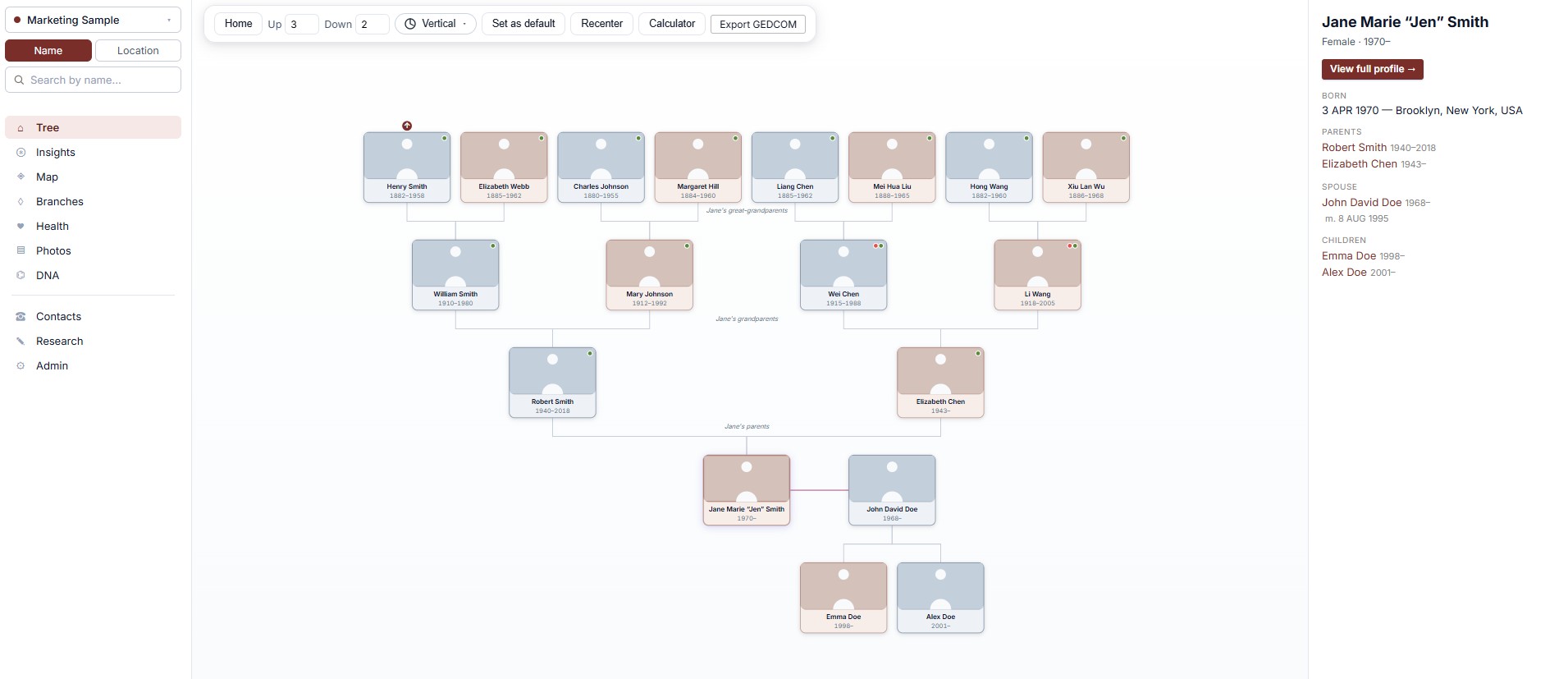
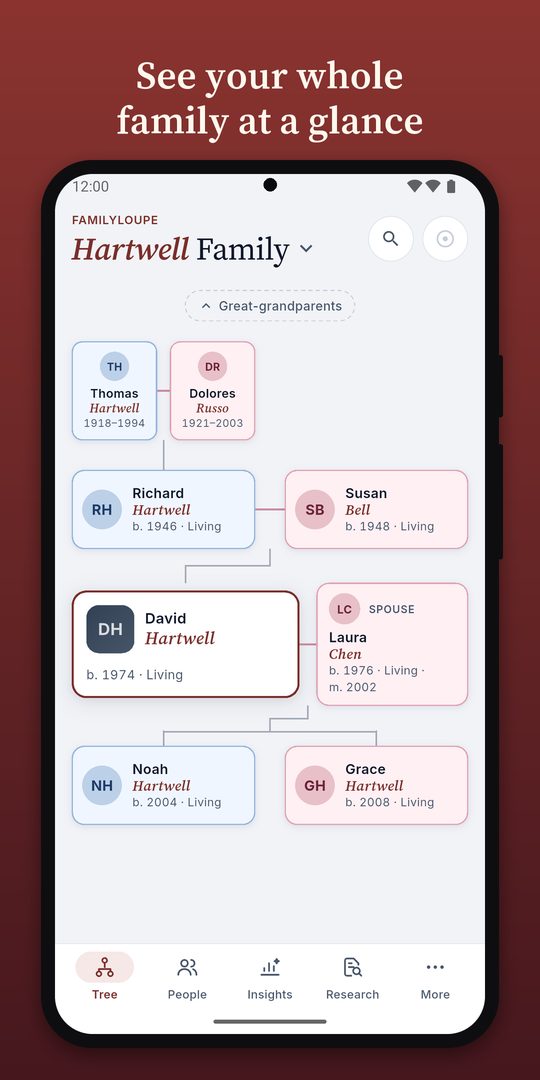
Living tree
Pan, zoom, click any card to refocus. Expand-up arrows on outer ancestors. The tree is the home page.
Profile pages
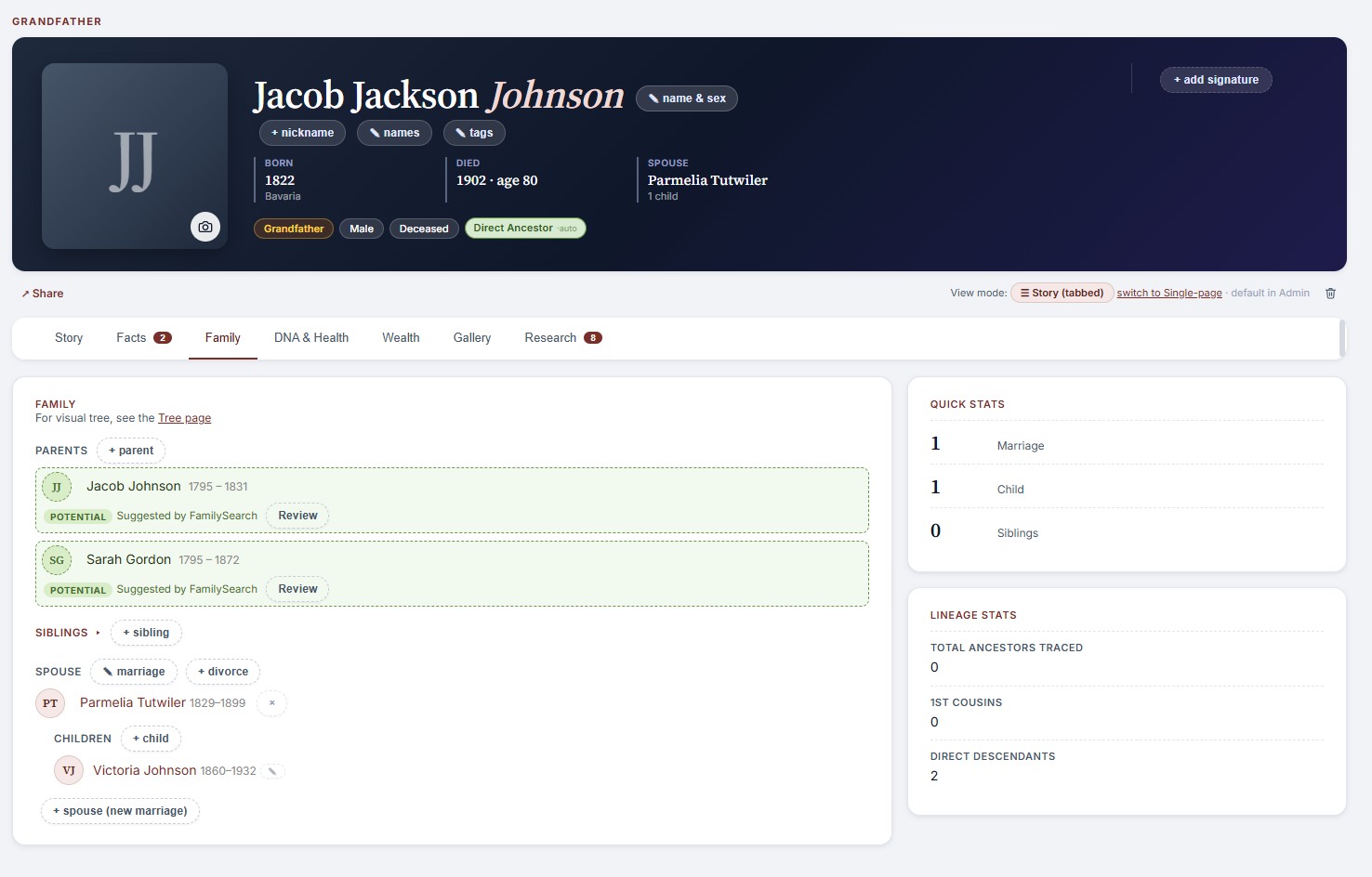
Names, dates, places, occupations, addresses, facts, signatures, custom life events, plus inline pencils to edit any of it.
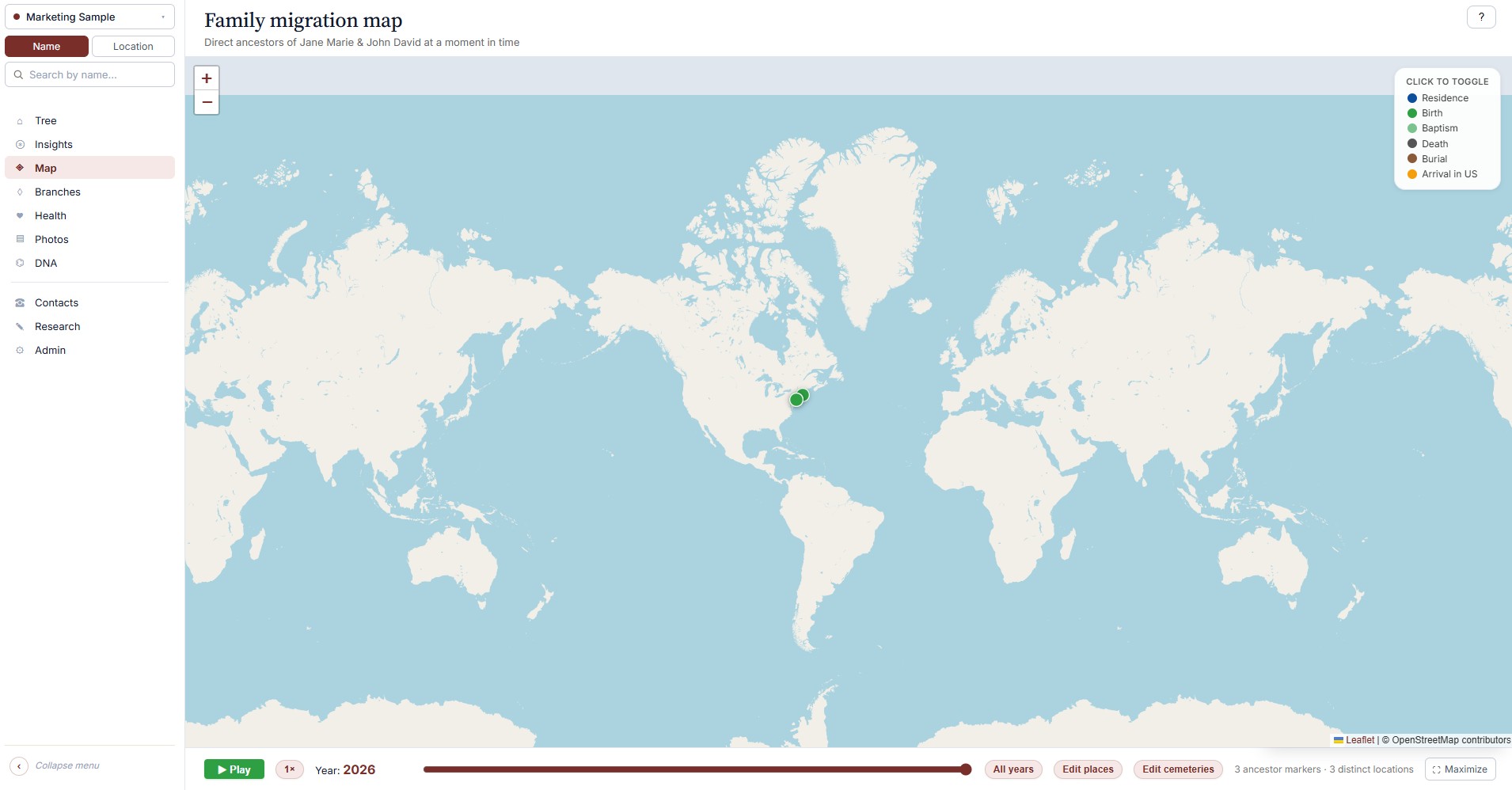
Year-slider map
Watch your ancestors arrive, settle, scatter. Press play and centuries of migration unfold on one map.
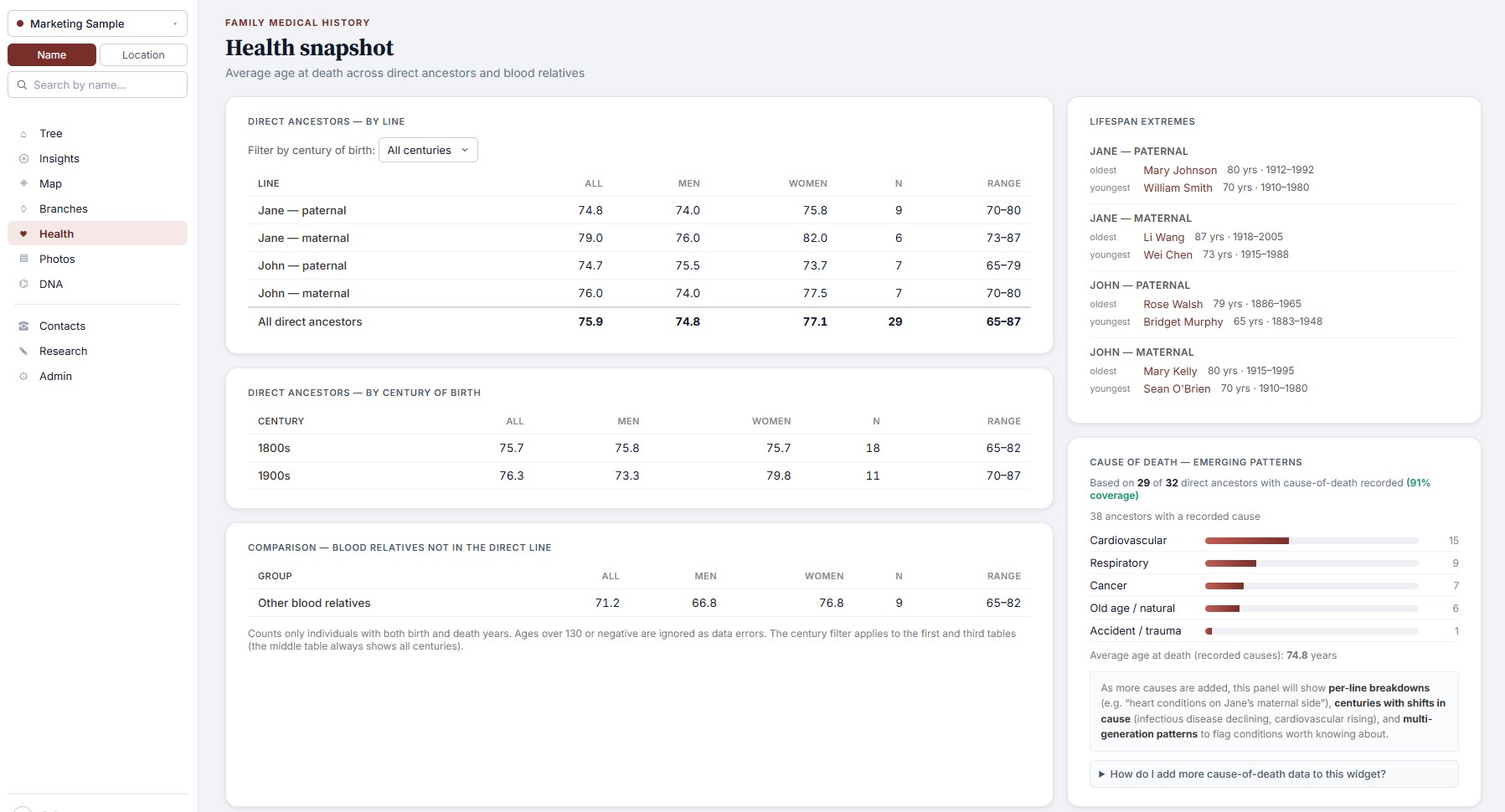
Health snapshot
Life expectancy by branch, by sex, by century. Causes of death by category. The longevity story of your family.
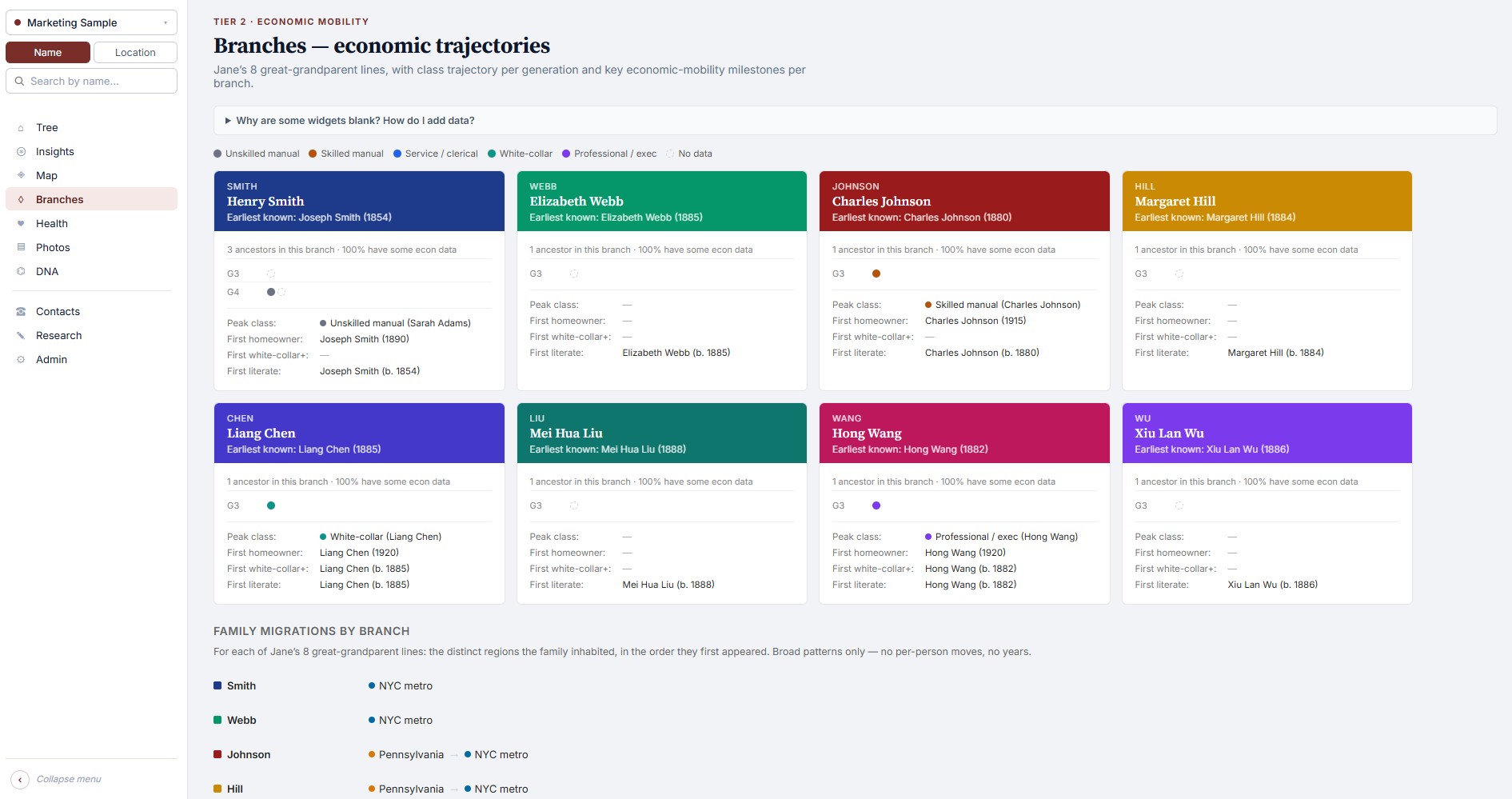
Branches & mobility
Eight great-grandparent lines, color-coded. Wealth and class trajectories as deep as your tree goes.
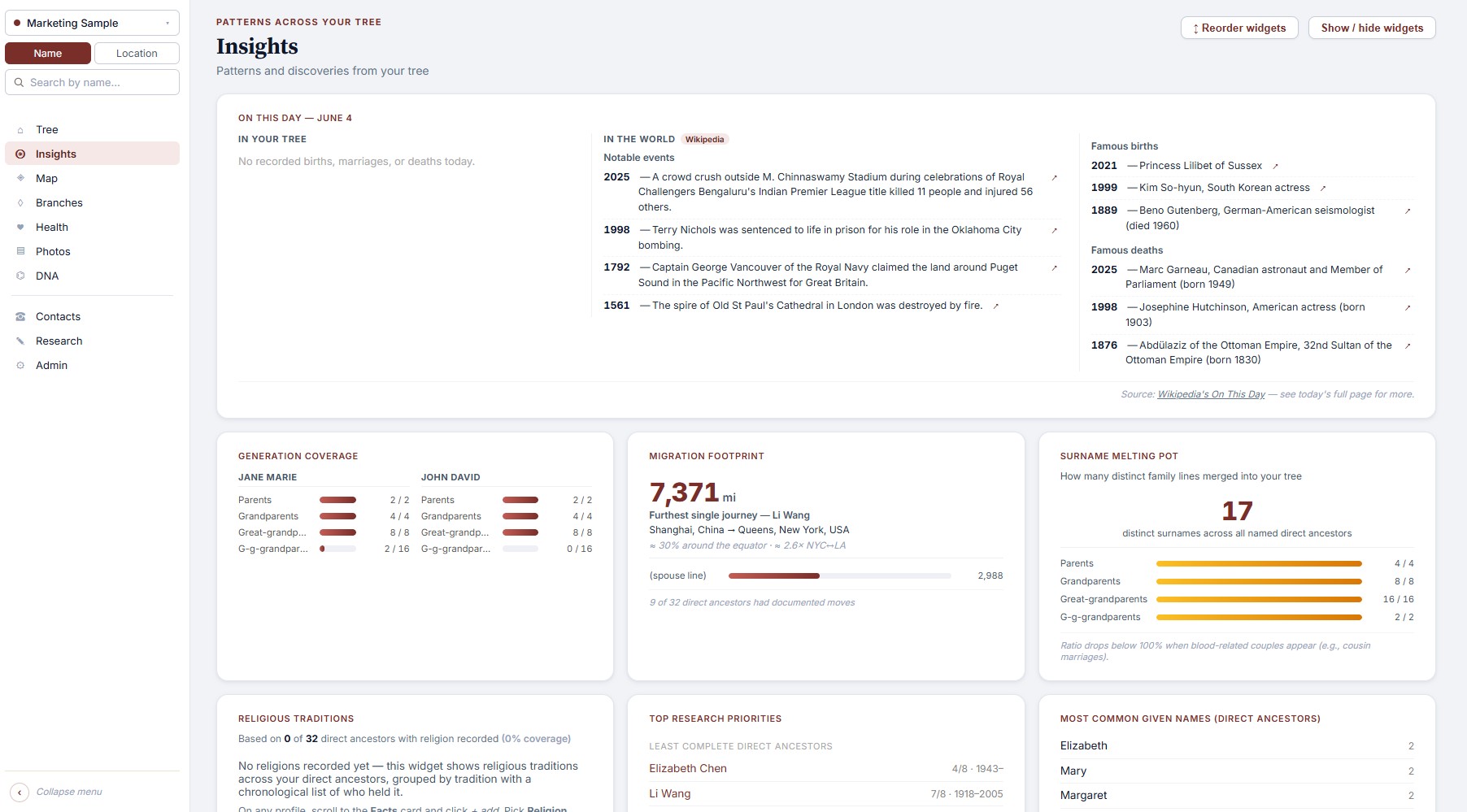
Insights cards
Today in history. Generation coverage. Most distant ancestor per line. Common given names. Endogamy. Research priorities.
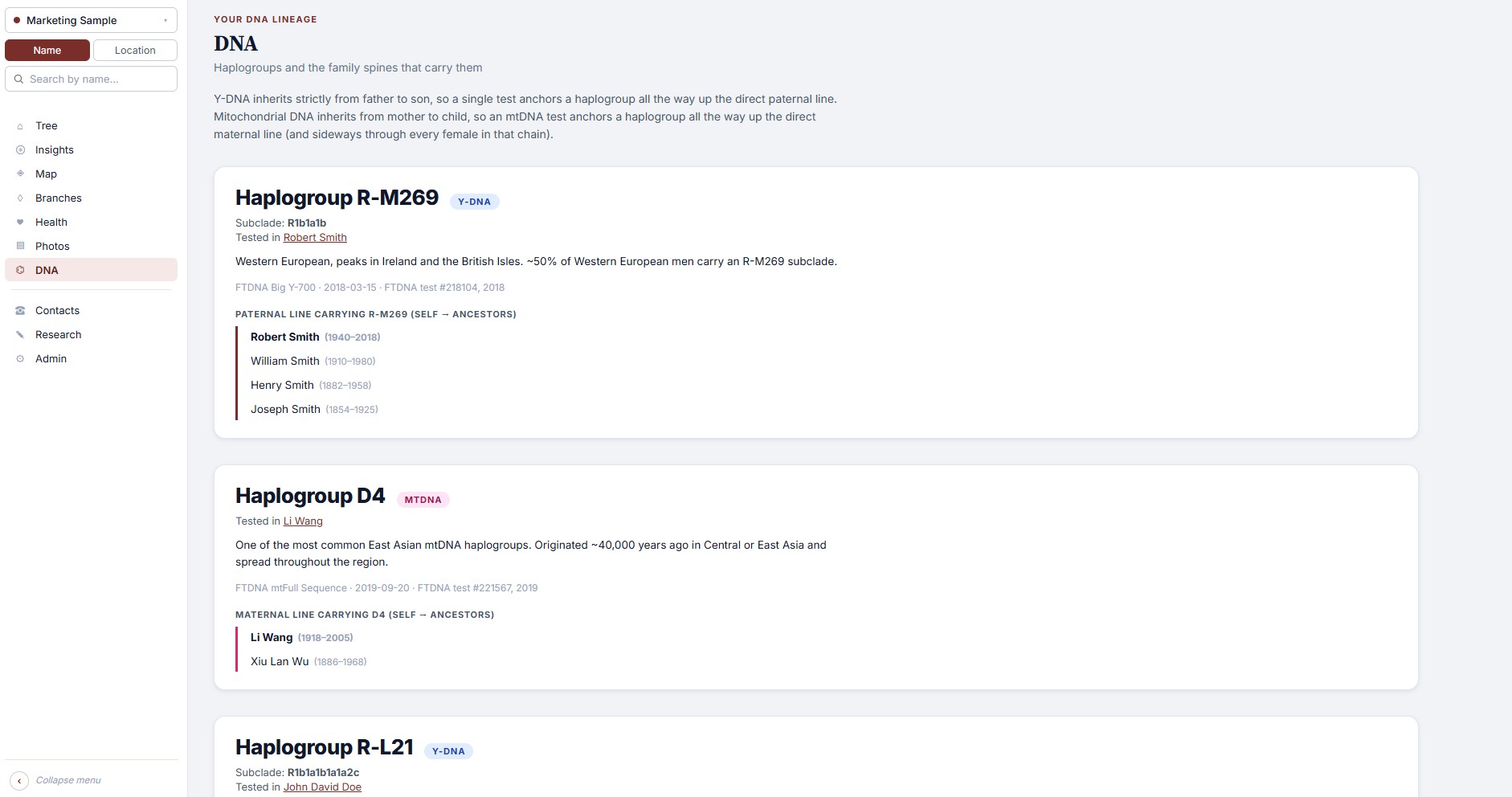
DNA & haplogroups
Y-DNA and mtDNA inheritance spines. Add your test, see which ancestors share each haplogroup.
Stories & histories
Oral history from living relatives, kept distinct from book-sourced family histories. With sources, photos, and people-tags.
Photos wall
Every personal photo across the tree, in one scroll. Click any face to jump to the profile.
Relationship calculator
Type any two people. FamilyLoupe finds the common ancestor and tells you exactly how they're related.
Multi-tree
Keep your tree and your spouse's separately, or research a friend's family. One license covers all of them.
Sources & citations
Every fact can carry a source. Census images, wills, ship manifests, civil registries: transcribe inline, never lose the trail.
On your phone
Your family tree, in your pocket.
The FamilyLoupe Android app is free to download. Start a tree right on your phone, or bring one in from Ancestry or any other family tree app. There is no account to make, and you don't need a computer.
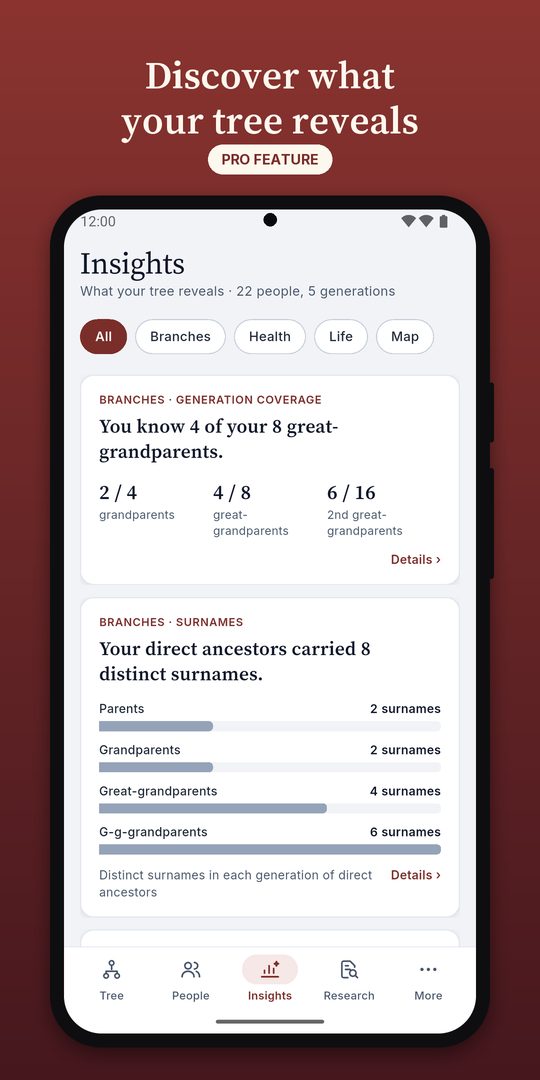
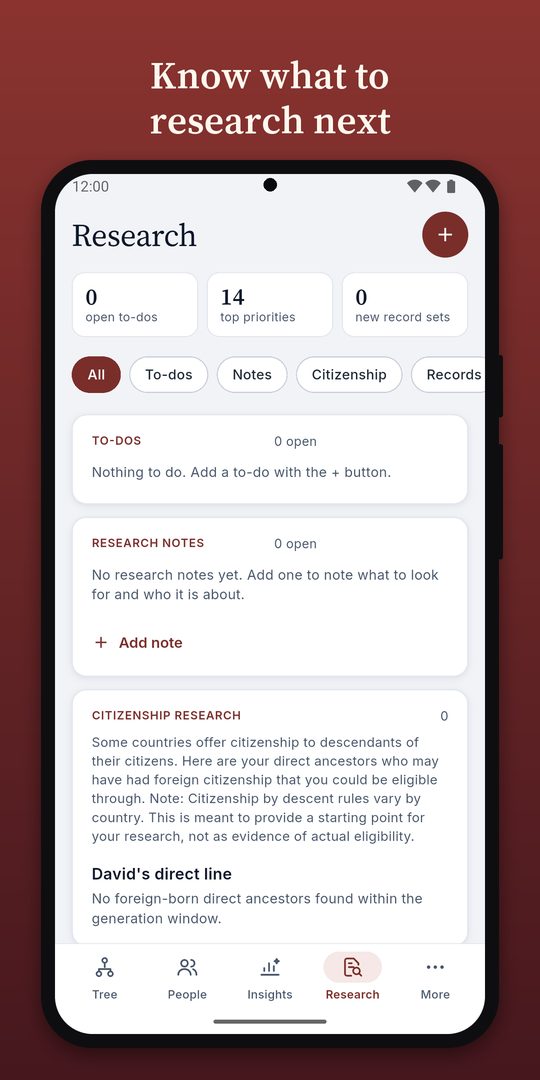
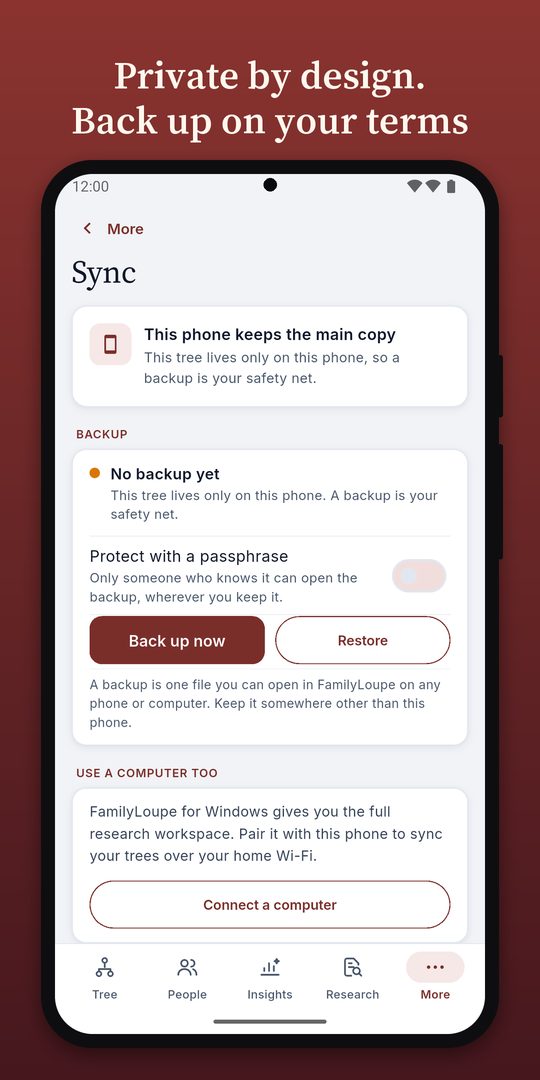
Walk your tree, branch by branchCharts and patterns across your family (Mobile Pro)Ideas for where to look next (Mobile Pro)Back up and sync on your own terms
Free to start
Keep one family tree on your phone, with as many people as you like. Browse it, add people and photos, write down stories, and save a backup or a GEDCOM file whenever you want. No ads, and nothing is sent to us.
Mobile Pro adds the good stuff
Charts and patterns across your family, more research tools, and more than one family tree on your phone. It costs $9.99, once, and you buy it inside the Android app.
Phone and computer together
With the Desktop + Mobile license, you pair your phone and your computer once, and they keep matching. It works over your home Wi-Fi or through your own Dropbox, and everything is scrambled so only your devices can read it. Nothing passes through our servers.
FamilySearch is the world's largest free genealogy archive, run by a nonprofit. Connect your free FamilySearch account and FamilyLoupe brings its record hints, tree comparisons, and shared research directly into your own tree, on your own computer.
Hints, right on the profile
FamilyLoupe checks FamilySearch's Family Tree for record matches on your ancestors and surfaces them as Hints you review and accept.
Spot what's missing
Compare your tree against FamilySearch's shared Family Tree to find relatives you don't have yet, with the source citation attached when you add them.
Contribute back, if you want
Optionally push your research (corrections, new relatives, sources, photos) into FamilySearch's Family Tree, so it helps everyone researching the same families. Entirely opt-in, one checkbox at a time.
FamilySearch suggests parents it found in the shared tree. Accept with one click.
Your FamilySearch login stays with FamilySearch. FamilyLoupe never sees your password.
And one more thing
Pets, too. If you want.
Some families wouldn't be themselves without the dog who slept on every couch, the cat who outlasted four jobs, the parrot who learned grandma's whistle. FamilyLoupe has first-class records for them, with the depth they deserve.
Real profile cards. Name, sex, species, breed admixture, birth, adoption, passing, cause of death, burial. Free-text notes for the stories.
Multiple owners. Pets attach to one or more people in the tree. They show up on every owner's profile.
Custom species. Built-ins for dogs and cats, plus add your own: hamsters, parrots, the family donkey.
Off by default. Genealogy purists who'd rather keep pets out of the picture won't see the widget. Flip it on in Settings if pets are family in your household.
Passed 2021
Rex
Dog · M
13 years with the family
Born2008
AdoptedJun 2008
Passed2021
CauseCancer
WithMargaret & Robert Clarke
Breed
Golden Retriever 70%
Lab 30%
How we compare
FamilyLoupe isn't trying to replace Ancestry.com. We do different things.
The big sites are research databases: billions of records, hint engines, DNA matching with millions of testers. Use them to find your ancestors. Then use FamilyLoupe to own what you found, and to actually understand the picture.
The big sites
FamilyLoupe
Records database
World-class: billions of indexed records
No database of our own, but connected to FamilySearch's database, so you can get free record hints, direct tree import, and shared research.
Where your data lives
On their servers, behind a subscription
In files on your own computer and phone
If you stop paying
Tree becomes view-only or inaccessible
Nothing changes: it's your file
Pricing
$30+/month, forever
$29.99 one-time ($19.99 launch), plus a free Android app
Cloud-stored under their privacy policy; subject to research-partner sharing and government requests
Local apps. Your tree never goes to us, sync is encrypted and goes only through your own Wi-Fi or Dropbox, and nothing is tracked
We use Ancestry too. The two tools complement each other.
How it works
From install to first insights in under ten minutes.
If you already have a GEDCOM export from Ancestry, MyHeritage, or any other genealogy tool, you're four steps away.
Install
Download the Windows installer. About 70 MB. No accounts, no setup wizard hell.
Bring your tree
Import a GEDCOM, or start from scratch, or try the bundled sample family.
Pick yourself
Choose your home person (and optionally your spouse). The tree centers on you.
Explore
Insights light up immediately. Edit, add stories, attach photos, watch the picture sharpen.
Pricing
Pay once. No subscriptions, ever.
Pick what you need. Every price below is a single payment. Genealogy software shouldn't cost more than the records you find with it, so FamilyLoupe costs less than a single month of Ancestry.com.
Free 60-day trial on Windows. Try everything. No credit card needed. Download the trial
Free Android app. Keep one family tree on your phone, with as many people as you like. No computer needed. Get it on Google Play
Desktop
$19.99 $29.99
Pay once, keep it forever
For your Windows computer
Use code EARLYBIRD2026
The full app, with as many family trees as you like
Works on Windows computers and Android phones. Cheaper than RootsMagic ($39.95) and about a third of Family Tree Maker ($80). Launch pricing and the code EARLYBIRD2026 do not apply to Mobile Pro. Installed from the Microsoft Store? Same key, same place: activate in Admin → License either way.
Questions
Things people ask before they install.
Why does Windows show a warning when I download the installer directly?
This only happens with the direct .exe download, not the Microsoft Store version: Microsoft signs Store apps itself as part of certification, so installing from the Store never shows this screen at all.
For the direct download: it’s because FamilyLoupe isn’t yet signed with a paid code-signing certificate, something almost every small independent app runs into early on, regardless of how safe it is. You’ll see a blue “Windows protected your PC” screen; click More info, then Run anyway, and the install proceeds normally.
This is a reputation system, not a safety verdict: Microsoft flags unsigned software from new publishers until enough people have safely run it. It has nothing to do with whether FamilyLoupe is safe: the install itself never asks for admin rights (it installs to your user folder, not Program Files), and what it does with your data is laid out in the “Is my data sent anywhere?” question below. Signing is on the roadmap as FamilyLoupe grows.
Does it really work offline, and is my data sent anywhere?
Yes. The core app never touches the internet. The only baseline call is one-time geocoding (place name → map coordinates), and it never sends your tree. Two things are opt-in and off by default: the AI chatbot on a cloud backend, and the MCP integration for external AI apps. Both only send the specific records a question needs, never your full tree, and both are disclosed in Settings before you turn them on.
Will my Ancestry GEDCOM work?
Yes. FamilyLoupe reads standard GEDCOM 5.5.1 files, including the extended tags Ancestry, MyHeritage, Family Tree Maker, and RootsMagic produce. We also read the newer GEDCOM 7 format and GEDZip (.gdz) archives; both are auto-detected, so you don't need to know which version your file is. Re-import anytime your research GEDCOM updates. Your local edits, photos, and stories are preserved.
Will all the features work with just my GEDCOM?
Most of them, immediately. The tree, profiles, map, photos wall, branches, relationship calculator, life-expectancy snapshot, "today in history," common-names analysis, generation coverage, and most of the insights cards all work the moment you import a standard GEDCOM.
A few of the deeper features depend on data that GEDCOM files rarely carry: cause-of-death analysis needs you to add causes of death, the economic-mobility view needs occupations and a few facts like home ownership and acreage, and the DNA inheritance spines need you to record your test results. None of this requires research from scratch, though. FamilyLoupe has inline editors for every field, and you only need to fill in the ancestors you actually want to study. The features fade in as you add data.
Can I export my data?
You don't need to. It's already exported: the GEDCOM and your overrides file are sitting in the install folder right now. You can also export a refreshed GEDCOM at any time that includes everything you've added in FamilyLoupe, ready to import back into another tool. Export defaults to GEDCOM 5.5.1 (the format almost every genealogy service still uses today); GEDCOM 7 is available as an alternative in Tree settings if you specifically need it.
Is there a phone app, and what does it cost?
Yes, for Android phones. The app is free to download and free to use for one family tree, with as many people as you like. Mobile Pro is a $9.99 one-time purchase inside the app, and adds charts and patterns across your family, more research tools, and more than one family tree. There is no subscription.
Do I need the Desktop + Mobile license to use the phone app?
No. The phone app works on its own, with no computer. The Desktop + Mobile license adds two things: it keeps your phone and computer matching, and it gives one phone all the Mobile Pro extras without buying them again.
Can one Desktop + Mobile license cover several phones?
It gives the Mobile Pro extras to one phone. Another phone can use the free app, or you can buy Mobile Pro on it for $9.99.
How does syncing work, and is it safe?
You pair your phone and your computer once, by scanning a code or typing it in. After that they keep matching, over your home Wi-Fi or through a folder in your own Dropbox. Everything is scrambled before it leaves a device, so only your phone and your computer can read it. We never run a server in the middle and never see your tree. Syncing needs the Desktop + Mobile license, or an active free trial on the computer.
Is there a Mac, iPhone, or Linux version?
The computer app is Windows only, and the phone app is Android only. Mac is a likely follow-up. The engine is Python, so a Mac build is a packaging job, not a rewrite. But we want to nail the Windows experience first. Linux users with Python installed can run from source today, though it's not officially supported.
How is this different from Family Tree Maker, RootsMagic, or Legacy?
Short version: those are research tools built for data entry; FamilyLoupe is built for the analysis layer they don't have: life expectancy, economic mobility, migration maps, endogamy, and more, all rooted on you. See the full comparison above. Many users keep their existing tool for research and use FamilyLoupe to see the shape of what they found, and it's cheaper than any of them ($29.99 vs. RootsMagic's $39.95, Legacy's $35, FTM's $80).
How does the AI assistant work, and what does it cost?
Optional and off by default: bring your own key, we don’t bundle a subscription. A chat button on every page can answer questions like “who in my tree died young?” using either a local model (Ollama, fully offline, free) or a cloud provider (Groq/OpenAI, your API key). Power users can also connect Claude Desktop, Cursor, or VS Code directly to their tree via MCP. Either way, only the records relevant to your question are ever sent, never your full tree.
What happens after the 60-day free trial?
The app drops into read-only mode: you can still browse your tree, look at photos, run insights, use the map, but the edit buttons are hidden. Buy a license at any time and editing turns back on. Your data is never deleted, locked, or held hostage.
The trial is for the Windows app. The Android app has no trial: it is free, and Mobile Pro is a separate purchase.